

Let’s have an honest conversation, shall we?
How many of us really take creative control of signal routing and use it to build original, inspired effects chains? Most of the time, we reach for a preset—a pedal, a plugin, a multi-effects unit—turn the mix knob, get something quickly, and move on.
There’s nothing inherently wrong with this approach. But you’re swimming in shallow waters. A few strokes further out lies an entire lagoon of sound design most players never see, not because it's intimidating, but because no one ever showed them how to dive in.
Before we swim into these kaleidoscopic waters, I want to explain some basic terms so that everyone has a means of navigation and can really enjoy the experience. Wetsuits on, watches set—we’re going effect diving for this Dojo.
Audio signal paths utilize three basic parameters of flow: serial, parallel, and an optional summing possibility. They also can become increasingly complex depending on how they move. Imagine, for a moment, a school of fish moving collectively through the lagoon—twisting and turning from point to point. That’s a serial event.
Now, imagine that same school splitting into smaller groups, moving in their own clustered directions, and creating independent patterns that unfold simultaneously. That’s a parallel event.
Finally, imagine them all coming back together (summing) into one large mass again.
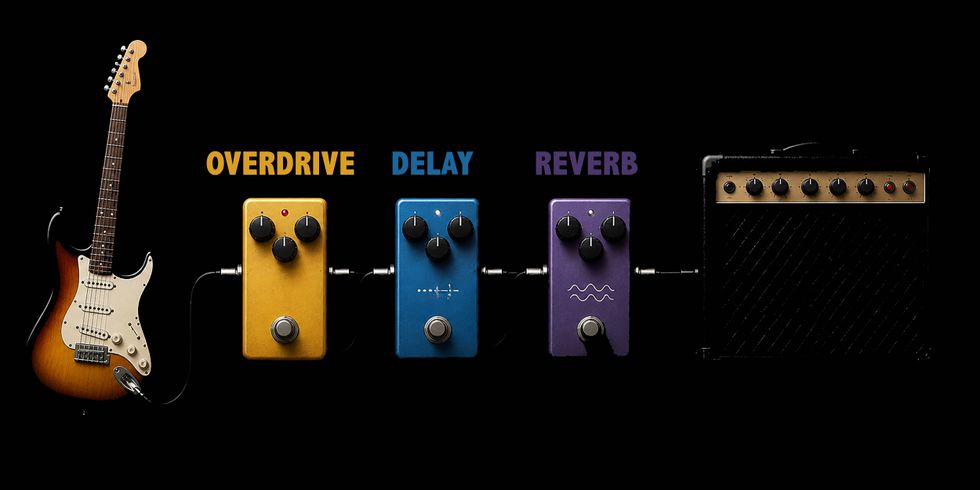
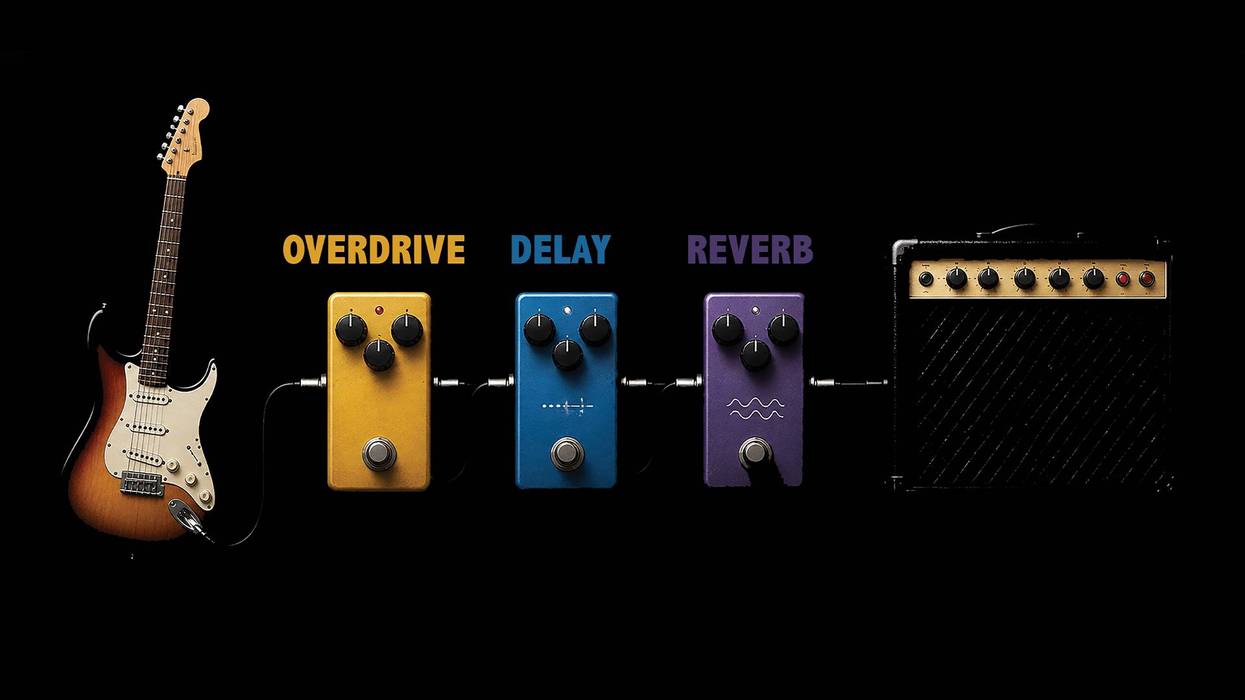
Fig. 1 A serial audio signal path.
Swimming in Serial and Parallel
Here’s a simple explanation for a serial audio signal path. Your guitar runs into an overdrive, then into a delay, then into a reverb, and finally into the amplifier—old school (pre “effects loop”). The signal passes through each pedal’s processor in a contiguous sequence, aka serial. [Fig.1]
Parallel signal flow begins the moment we decide to split that path. Instead of one continuous stream, we create multiple streams that exist at the same time. One version of the signal might move through distortion and modulation, while another passes through delay and reverb. [Fig. 2] Most commonly, these paths are brought back together (summed into a single output), but you could easily keep them separate and run them into another input channel on your amp, or a different amp altogether.
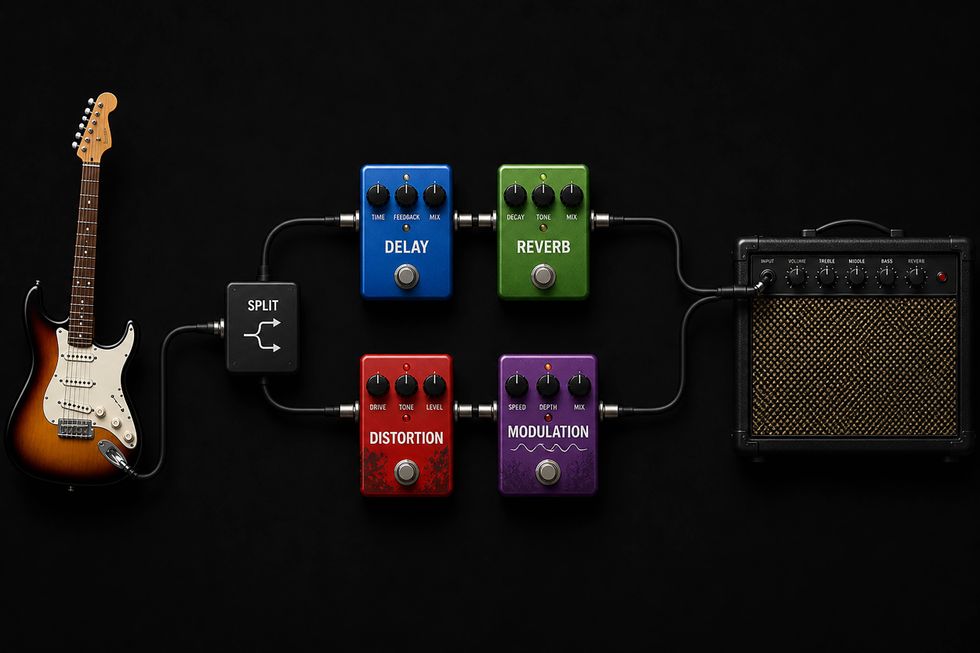
Fig. 2 A parallel audio signal path.
Routing = Deeper Waters
Let’s start with something simple. In your DAW, select a track you want to process, and load up your favorite chorus plugin (something luscious, with lots of modulation). Now, add your favorite reverb plugin (maybe a 4-second plate reverb) after the chorus. Play the track. Notice how you have a wide chorus effect that’s sitting in a reverberant field?
Swap the routing order of the plugins and place the reverb first. Listen to the difference! Hear how the reverb is swooshing and modulating with the tides. Add a favorite stereo delay into the scene. Place it in between the reverb and the chorus, and then place it at the end of the chain. Hear the differences.
Taking it further, create an aux stereo bus in your DAW and “click+drag” each plugin from your track over to the bus. (If you’re not sure how to do this, see my Dojo article “Here’s Your Ticket for the Aux Bus”). You can now use your “send” level to adjust how much of this composite effect you want to hear. Nothing should really be different here except that now you can control the volume of all three plugins globally.
Create another aux stereo bus, this time adding a longer delay set to 100 percent wet and following it with a pitch shifter set to +12 semitones (1 octave up). Play your track and mix in this parallel bus by increasing the “send” level to taste. You now have two independent signal chains working at the same time. If you want to swim a bit deeper, pan aux bus one 70 percent left, and aux bus two 70 percent right. Remember, you can automate this as well!
What begins to emerge from this way of thinking is a shift away from basic effect selection and toward unique signal architecture.
If you really want to dive deep, I invite you to check out my new album, 7 Secret Lives of Lucien Midnight. It’s centered on a fictitious character who believes he is living seven intrepid lives in parallel. Until next time, namaste.